
Sign 01Hwy 12 north gateway✓ Updated
FireSync web app
Every sign in your region, on one screen.
Set the rating for a whole township in one update, see every arrow confirm, and keep an eye on battery, signal and site conditions. It runs in the browser on any device. Try it below: press Change Danger Level.
Signs 9
Sign 02Pine Lake campground✓ Updated
Sign 03Ridge Rd. trailhead✓ Updated
Sign 04Lakeshore Rd. park entrance✓ Updated
Sign 05Fire Hall No. 2✓ Updated
Sign 06County Rd. 7 boat launch✓ Updated
Sign 07Cedar Bay lookout⚠ Not reporting
Sign 08Municipal office✓ Updated
Sign 09Hidden Valley trail✓ Updated
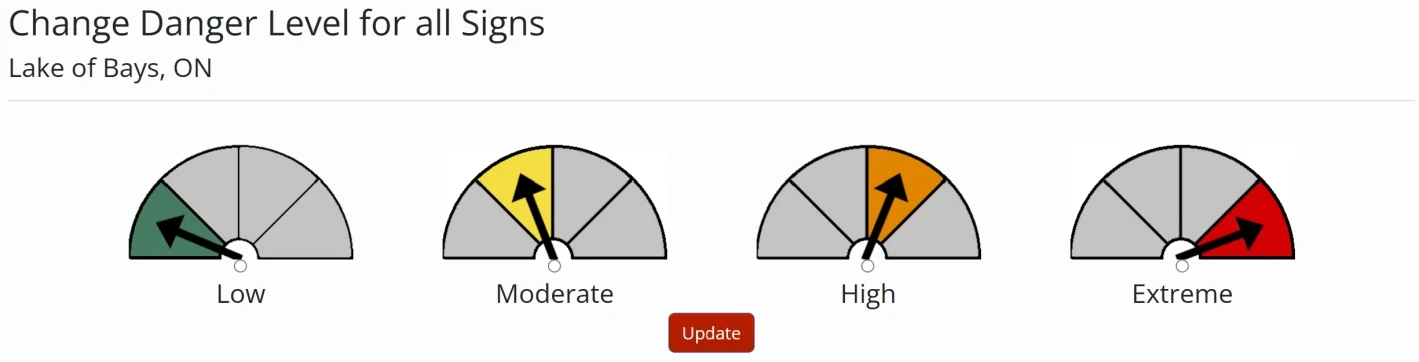
Change Danger Level for all Signs
Demo Township, ON
Confirm Danger Level Update
Change all signs in Demo Township, ON to danger level High?
What the software does
Built for the people who set the rating
The web app is where your team manages every FireSync sign: updating ratings by township, watching for problems and keeping a record.
Signs grouped by township
Group controllers into townships so every sign that should show the same rating gets it in one update. Adjust individual signs when local conditions differ.
Actual feedback from signs
A sign only shows as up to date once its arrow has physically moved to the new rating, so you can trust what the dashboard tells you.
Data from every sign
Ambient temperature, humidity, battery, signal and status appear under each sign. A sign that hasn't reported in, or isn't working, is flagged right away.
Smart alerts
Get notified about maintenance needs, communication problems, tamper events and environmental thresholds you choose.
Historical data
See what each sign displayed and when, along with sensor readings over time, for reporting and review.
Community messages Coming soon
With the upcoming Arrow Controller + Digital Message Board, publish fire bans and notices to your signs from the same app.
Try it
From the fire station to the roadside
Pick a danger level in the FireSync app and press Update. Watch the rating travel to the sign over cellular, the arrow move, and the sign confirm its new position.
FIRE DANGER TODAY
Cellular linkIdle
FireSync
web app
LTESet: High
Sign 04
controller
Demo Township, ON
Fire Danger Level: High
Change Danger Level for all Signs
- Sign 04 · Lakeshore Rd.✓ Updated
- Sign 05 · Pine Lake Camp✓ Updated
- Sign 06 · Fire Hall No. 2✓ Updated
The real app
Update all signs with a single click
These screens come straight from the FireSync web app that townships use today.
- Step 1
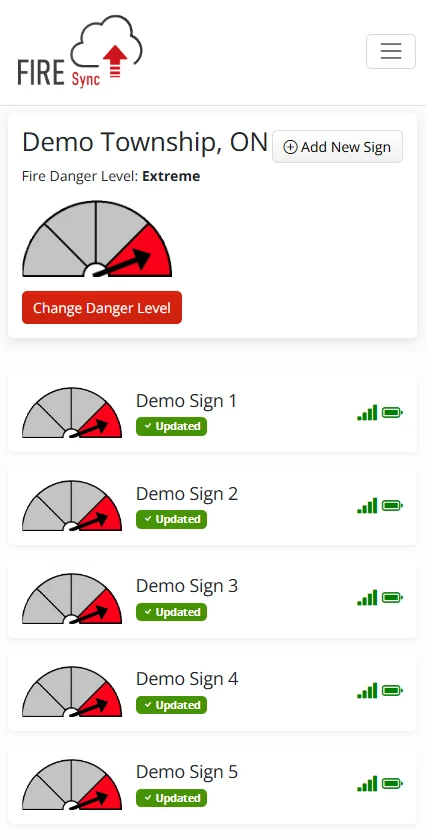
See every sign
Each township shows its current rating and the status of every sign.
- Step 2
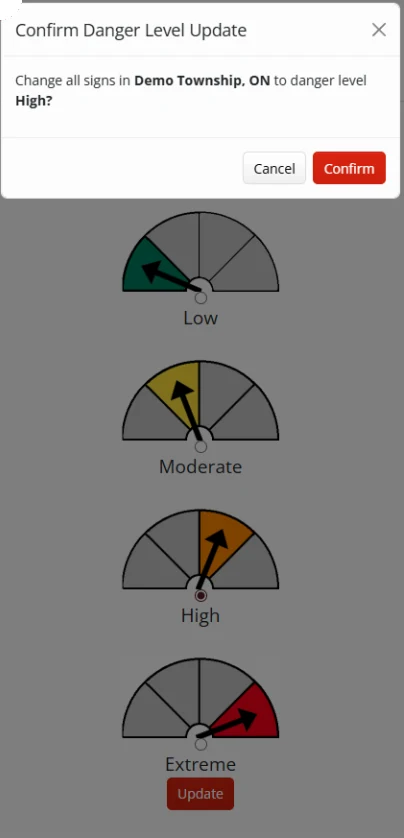
Choose and confirm
Pick the new level and confirm it for the whole township.
- Step 3
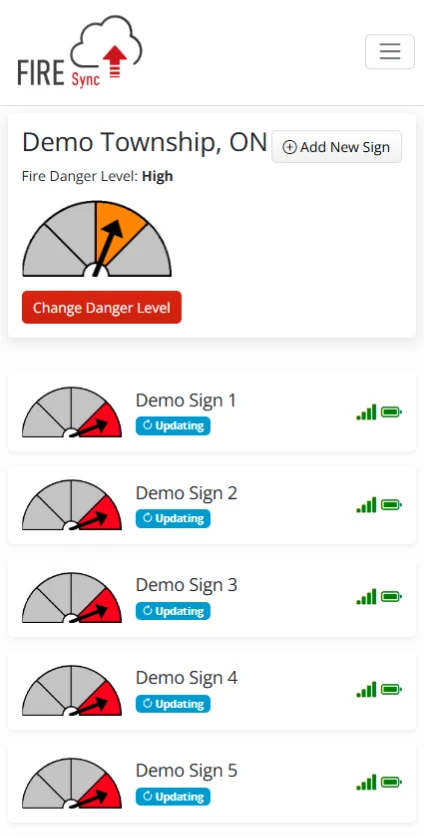
Signs update
Each controller moves its arrow while the app shows Updating.
- Step 4
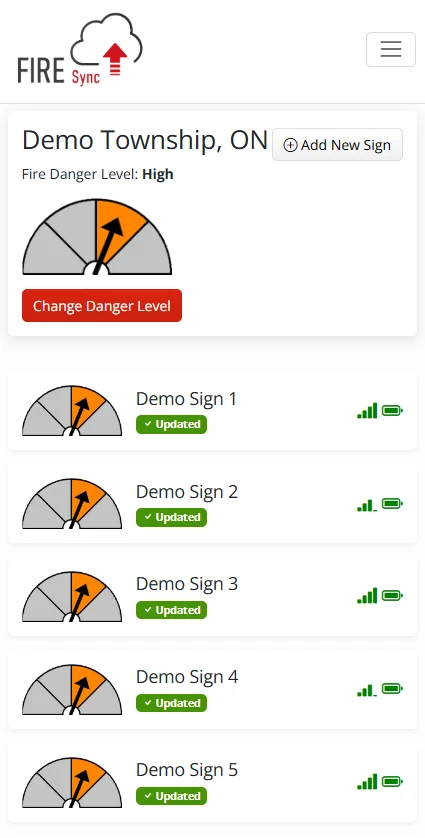
Every sign confirms
Updated appears only once the arrow has physically moved.
Change the rating from the truck, the office or home
The FireSync web app runs in any modern browser, so duty officers can update signs from a phone in the field as easily as from a desk. There's nothing to install and nothing to maintain on your network.
- Phone, tablet and desktop layouts
- Secure customer login
- Same live status everywhere you sign in
Your website and your signs, always in agreement
When you change the rating, your signs and your community webpage can update together, so residents checking online see the same rating drivers see at the roadside.
Talk to us about integrating this into your website through the FireSync APITake the web app for a test drive.
Book a demo and we'll walk your team through the web app. FireSync software access is free for the first 6 months.